
In today’s digital world, visual content plays an important role in attracting attention, communicating ideas, and building brand awareness. Whether you are promoting a business on Instagram, designing a website banner, or creating an online advertisement, attractive visuals can help make your message more engaging. This is why Canva and graphic designing have become important topics for students, business owners, content creators, and digital marketers.
However, many beginners often confuse Canva with graphic designing. They may wonder whether learning Canva is enough to become a graphic designer or whether they need to learn additional creative skills. Although these two concepts are closely related, they are not the same.
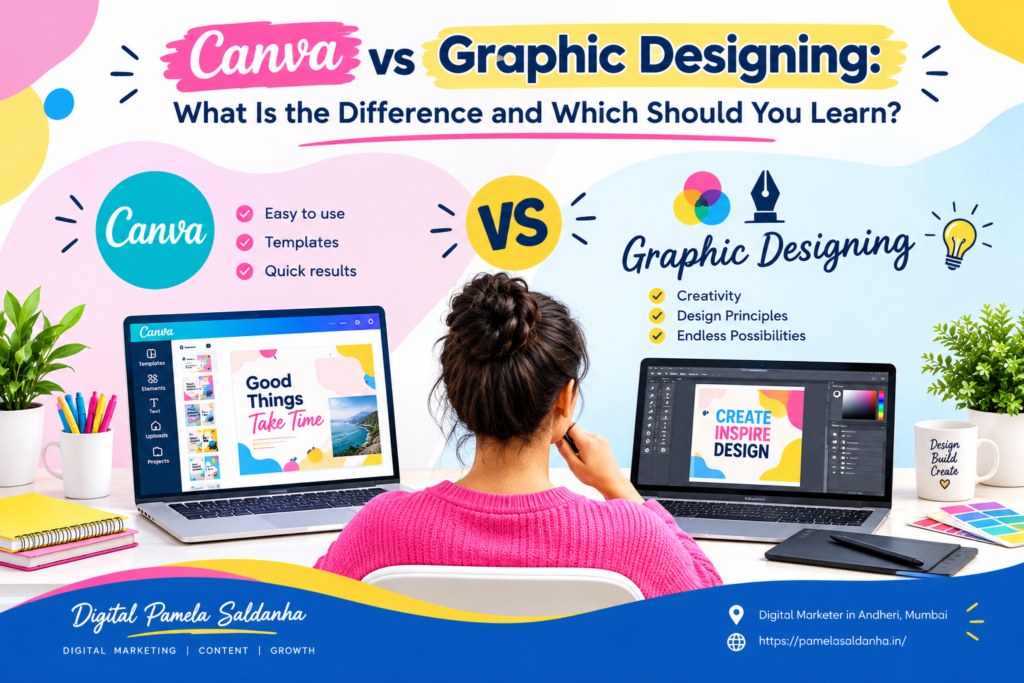
Canva is an online design tool that allows users to create visual content using templates, images, fonts, and other design elements. Graphic designing, on the other hand, is a broader creative discipline that involves combining visual elements to communicate a particular message effectively.
Understanding the difference between Canva and graphic designing can help you choose the right learning path according to your career goals. If you want to create social media content, promote your business, or develop your digital marketing skills, knowing how these two concepts work together can be valuable.
In this article, Digital Pamela Saldanha explores Canva vs graphic designing, their key differences, career opportunities, and the skills beginners should learn first.
2. What Is Canva?
2.1 Understanding Canva
Canva is an online graphic design and visual content creation platform that makes designing accessible to people with different levels of experience. It provides ready-made templates, images, illustrations, fonts, and editing features that help users create professional-looking designs without necessarily having advanced technical knowledge.
One of Canva’s main advantages is its user-friendly interface. Users can select a template, replace the existing text, upload their own images, adjust colours, and customise the layout according to their requirements.
For example, a small business owner who wants to promote a festive discount on Instagram can choose a promotional template, add the business name and offer details, and create a social media post without starting from a blank page.
Canva is particularly useful for beginners, entrepreneurs, students, content creators, and digital marketers who need to produce visual content efficiently.
2.2 Key Features of Canva
Canva offers several features that simplify the design process.
1. Ready-made templates
Canva provides templates for different purposes, including social media posts, presentations, posters, brochures, invitations, and marketing materials. These templates offer a starting point for users who may not know how to arrange design elements independently.
2. Drag-and-drop editor
Users can add and move text, images, shapes, and other elements within a design. This makes it easier to customise a layout without complicated editing procedures.
3. Fonts and colour combinations
Canva allows users to experiment with typography, colours, backgrounds, and visual elements. These features help create designs that suit a brand’s identity and communication style.
4. Image and graphic resources
Users can incorporate photographs, icons, illustrations, shapes, and other visual assets into their projects. Available resources and features depend on the selected plan and licensing conditions.
5. Social media design formats
Canva supports different content formats, helping users prepare creatives for platforms such as Instagram, Facebook, and LinkedIn. This is particularly helpful for people who regularly create social media content.
6. Collaboration and sharing
Users can share designs and collaborate with others, depending on their account features and settings. This can make content production more convenient for marketing teams and businesses.
Together, these features make Canva a practical tool for creating visual content. However, having access to templates does not automatically mean that a person understands the principles of effective graphic design.
2.3 What Can You Create Using Canva?
Canva can be used for a wide range of personal, educational, and professional projects.
- Social media posts: Create Instagram posts, Facebook creatives, LinkedIn graphics, and promotional carousels.
- Posters and flyers: Design announcements, event promotions, offers, and advertising materials.
- Presentations: Prepare slides for business meetings, college assignments, and training sessions.
- Blog graphics: Create featured images, banners, and supporting visuals for website articles.
- Brochures: Design marketing materials that introduce products, services, and business information.
- Infographics: Present information, statistics, and processes in a visual format.
- Marketing creatives: Develop promotional graphics for campaigns, product launches, and seasonal offers.
For example, a digital marketer working with a local restaurant can use Canva to create a menu promotion, an Instagram carousel highlighting popular dishes, and a festive discount announcement.
These designs can help maintain a consistent visual appearance across different marketing channels. Nevertheless, their effectiveness depends on more than the software used. The message, layout, readability, audience, and marketing objective also matter.
3. What Is Graphic Designing?
3.1 Understanding Graphic Designing
Graphic designing is the process of combining text, images, colours, shapes, and other visual elements to communicate ideas or messages to a particular audience. It involves creativity, planning, problem-solving, and an understanding of how people interpret visual information.
Graphic designing is not limited to creating attractive pictures. A well-designed visual should serve a purpose. It might communicate a brand’s personality, explain a product’s benefits, guide a reader through information, or encourage a customer to take a specific action.
For example, designing a logo for a new business requires more than selecting an attractive icon and font. The designer must consider the business’s identity, target audience, industry, competitors, and the impression the logo should create.
Similarly, designing an advertisement requires understanding the offer, identifying the most important message, choosing suitable visuals, and arranging information so that the audience can understand it quickly.
Graphic designers may use Canva, Adobe Photoshop, Adobe Illustrator, Adobe InDesign, or other creative tools depending on the project. The software supports the work, but the designer’s knowledge and creative decisions shape the final result.
3.2 Essential Principles of Graphic Designing
To create effective designs, beginners should understand several fundamental design principles.
1. Colour theory
Colour theory helps designers select and combine colours appropriately. Different colour combinations can communicate different moods and create different impressions.
For example, a healthcare brand may prefer a clean and calming colour palette, while a children’s entertainment brand may use brighter colours to communicate energy and playfulness.
The right colour selection depends on the brand, audience, message, and context.
2. Typography
Typography refers to the selection and arrangement of text. It includes font choice, font size, spacing, weight, and readability.
A design may contain excellent images but still fail if the text is difficult to read. Designers should choose fonts that match the brand’s personality while ensuring that important information remains clear.
3. Layout and composition
Layout determines how text, images, and other elements are arranged within a design. A balanced layout helps viewers understand the content without feeling overwhelmed.
For instance, an advertisement should provide enough space for the main offer, supporting information, product image, and call to action.
4. Visual hierarchy
Visual hierarchy helps guide the viewer’s attention towards the most important information first.
In a promotional post, the discount or main offer may appear in a larger font, while additional terms and conditions appear in smaller text. This makes the message easier to understand.
5. Alignment and spacing
Alignment creates order, while appropriate spacing prevents a design from looking crowded. Consistent margins and spacing between elements make content easier to scan.
6. Branding and consistency
Brand consistency means using recognisable colours, fonts, logos, and visual styles across different communication channels. Consistency helps audiences identify a business and understand its identity.
These principles are useful whether you create designs using Canva or professional design software. Learning them helps you move beyond simply editing templates and start making informed creative decisions.
3.3 Types of Graphic Designing
Graphic designing includes several specialisations, each serving a different purpose.
Brand identity design: Involves creating logos, colour palettes, typography systems, and other visual elements that represent a business.
Social media and advertising design: Focuses on creating visuals for social media posts, digital advertisements, campaigns, and promotional activities.
Print design: Includes brochures, flyers, magazines, catalogues, posters, and other printed materials.
Packaging design: Involves designing product packaging that communicates brand identity and presents product information clearly.
Web and digital design: Includes website graphics, banners, digital assets, and visual elements used in online experiences.
Editorial design: Focuses on arranging text and images for books, magazines, reports, and other publications.
Each specialisation requires a different combination of skills. Someone interested in social media marketing may begin with digital creatives, while someone pursuing a broader graphic design career may explore branding, illustration, image editing, and publication design.
4. Canva vs Graphic Designing: Key Differences
The main difference between Canva and graphic designing is that Canva is a tool, whereas graphic designing is a skill and creative discipline.
Although Canva can be used to create graphic designs, learning the platform alone does not cover every aspect of graphic design.
Here is a comparison of their main differences.
| Comparison factor | Canva | Graphic designing |
|---|---|---|
| Meaning | An online design and content creation tool | A creative discipline focused on visual communication |
| Main purpose | Helps users create visual content efficiently | Helps communicate ideas through effective visual solutions |
| Learning process | Generally easy for beginners to start using | Requires practice and an understanding of design principles |
| Templates | Provides ready-made layouts for customisation | May involve creating original layouts and concepts |
| Creativity | Users customise available elements or create designs from scratch | Involves concept development, visual problem-solving, and creative decisions |
| Flexibility | Depends on the platform’s available features | Depends on the designer’s skills and chosen tools |
| Applications | Social media posts, presentations, posters, and marketing creatives | Branding, advertising, packaging, editorial design, and digital graphics |
| Career relevance | Useful for content creation and basic design tasks | Can support a wider range of specialised design careers |
| Best suited for | Beginners, entrepreneurs, marketers, and content creators | Aspiring designers and professionals interested in visual communication |
It is important to remember that Canva is not separate from graphic designing. It is one of the tools that people can use to practise and produce graphic designs.
For example, two people may use the same Canva template to create an Instagram advertisement. One person may simply replace the text and images, while the other may carefully adjust the layout, typography, colour contrast, and visual hierarchy to suit the campaign.
Both are using Canva, but their understanding of design principles may lead to different results.
Therefore, the better approach is not to choose between Canva and graphic designing as if they were competing alternatives. Instead, learn how the tool works and gradually develop the creative skills needed to use it effectively.
5. Canva vs Graphic Designing: Which Is Easier to Learn?
For most beginners, Canva is easier to start using because its interface, templates, and editing features simplify the process of creating visual content.
You do not need to master every design principle before making your first social media post. You can begin with a template, explore its elements, and learn how different layouts work.
However, becoming confident in graphic designing requires more than knowing where to click. You need to understand why certain fonts work together, how colours influence visual perception, how spacing affects readability, and how to organise information effectively.
Why Canva Is Beginner-Friendly
Canva allows beginners to experiment with different designs without having to build every element from scratch. It can help students, small business owners, and digital marketers create useful visual content while developing their creative confidence.
For example, a beginner can create a simple Instagram post by selecting a template, adding a headline, inserting a relevant image, and including the business logo.
This provides an opportunity to practise visual communication while learning the platform.
Why Graphic Designing Requires Practice
Graphic designing involves making decisions based on the project’s purpose and audience. Designers must understand the message, select appropriate visual elements, and create a composition that communicates clearly.
These skills develop through observation, experimentation, feedback, and repeated practice.
A beginner who learns colour theory, typography, alignment, and visual hierarchy can gradually produce more original and effective designs, even when using a beginner-friendly platform.
What Should Beginners Do?
The most practical approach is to learn Canva alongside basic graphic design principles. Start with simple projects, examine what makes effective designs successful, and gradually create original work instead of relying entirely on templates.
This approach helps you gain practical experience while developing skills that can be applied to other design tools in the future.
6. Canva vs Graphic Designing: Which Is Better for Digital Marketing?
Digital marketing involves promoting products and services through online channels, including search engines, websites, social media, and paid advertising. Visual content supports these activities by making information more engaging and helping businesses communicate their messages.
Canva and graphic designing both have a role in digital marketing, but they serve different purposes.
6.1 Creating Social Media Content
Social media platforms are important channels for businesses that want to connect with their audiences. Regularly publishing relevant and visually consistent content can help businesses communicate their offerings and maintain an active online presence.
Canva can simplify the creation of Instagram posts, Facebook creatives, LinkedIn graphics, and carousel designs. Its templates can also help marketers maintain a consistent format across multiple posts.
However, understanding graphic design principles helps marketers make better decisions about the visual appearance of that content.
For example, a social media post promoting a digital marketing service should have a clear headline, readable text, suitable colours, and a relevant call to action. Adding too many images or decorative elements may distract the audience from the main message.
6.2 Creating Marketing Campaigns
Digital advertising campaigns require visuals that support a specific objective, such as generating leads, promoting a product, or encouraging website visits.
Canva can help marketers prepare campaign creatives quickly. Graphic design knowledge helps them decide how to present the offer, highlight the most important benefit, and make the advertisement easy to understand.
For instance, a business promoting a limited-time discount might emphasise the offer, display the product clearly, and include a prominent call to action.
The final creative should also match the campaign’s target audience and the requirements of the advertising platform.
6.3 Supporting Content Marketing
Content marketing includes blog articles, guides, infographics, videos, and other resources that provide useful information to an audience.
Canva can be used to create blog featured images, infographics, presentation slides, and downloadable resources. These visuals can complement written content and help readers understand complex information.
Graphic design principles ensure that the visuals are organised, readable, and consistent with the website’s branding.
For example, an article about search engine optimisation may include an infographic explaining keyword research, on-page SEO, and link building. A clear layout makes the information easier to follow.
6.4 Building Brand Awareness
Businesses need a consistent visual identity to help audiences recognise them across different platforms.
Graphic design knowledge helps marketers establish a suitable visual style, including colours, typography, image selection, and layout conventions. Canva can then be used to apply that style to routine marketing materials.
For example, a business can use the same brand colours and fonts across its website banners, Instagram posts, and promotional creatives.
When visual content supports a consistent brand identity and a clear marketing strategy, it can strengthen the overall presentation of the business.
Ultimately, Canva helps make content creation more accessible, while graphic design skills help ensure that the content communicates effectively. For digital marketers, learning both can be more useful than relying on either one alone.
7. Canva vs Graphic Designing: Career Opportunities
Learning Canva and developing graphic design skills can open different opportunities depending on your interests, experience, and career goals. Both can be useful for people who want to work in digital marketing, content creation, advertising, or creative services.
However, it is important to understand that knowing how to use a design tool is different from developing the broader skills required for professional design work.
7.1 Can You Get Work by Learning Canva?
Yes, Canva can help beginners develop practical skills for creating visual content for businesses, creators, and online platforms. It can be particularly useful for people who want to start offering basic design-related services.
Some opportunities include:
Social media content creation: Businesses regularly need posts, carousels, stories, and promotional graphics. Canva can help freelancers create these assets efficiently.
Marketing creatives: Small businesses may need posters, digital flyers, offer announcements, and promotional banners for their marketing campaigns.
Presentation design: Students, entrepreneurs, and professionals may require visually organised presentations for meetings, training sessions, and business proposals.
Content creation support: Bloggers, digital marketers, and content creators may need featured images, infographics, and other visual assets to complement their content.
Freelance design services: Beginners can build a portfolio by creating original sample projects and gradually approaching potential clients whose requirements match their skills.
However, earning money is not guaranteed simply by learning Canva. Success also depends on the quality of your work, communication skills, ability to understand client requirements, pricing, and consistency.
7.2 Career Opportunities in Graphic Designing
Graphic designing can provide a broader foundation for people who want to pursue creative careers.
Depending on their skills and experience, graphic designers may explore opportunities such as:
- Graphic designer: Creates visual materials for businesses, campaigns, publications, and other communication needs.
- Brand identity designer: Develops logos, colour systems, typography, and visual guidelines for businesses.
- Advertising designer: Creates visual concepts and promotional materials for advertising campaigns.
- Social media designer: Develops platform-specific visual content that follows a brand’s identity and campaign objectives.
- Packaging designer: Works on the visual presentation of products and their packaging.
- Digital creative designer: Produces graphics and other visual assets for websites, online campaigns, and digital platforms.
Different roles may require different software, technical knowledge, and levels of experience. Some employers expect knowledge of professional design applications, while other roles may place greater emphasis on content production and marketing skills.
A strong portfolio demonstrating your ability to solve visual communication problems can be valuable when applying for design opportunities.
7.3 Which Skill Should Freelancers Learn First?
For beginners who want to enter freelancing, starting with Canva can be a practical choice. It allows you to practise creating visual content and understand how businesses use graphics in their communication.
Once you become comfortable with the platform, gradually learn colour theory, typography, layout, visual hierarchy, and branding.
You can then expand your portfolio with projects such as a social media campaign, a promotional advertisement, a brand identity concept, or a set of marketing creatives for a fictional business.
For example, if you want to work with a local restaurant, you could prepare a sample campaign featuring a promotional post, a menu highlight, and an event announcement. This demonstrates not only your ability to use a design tool but also your understanding of how visual content supports business goals.
As your interests develop, you can explore more specialised design software and services.
8. Canva vs Graphic Designing: Which Should You Learn First?
The right choice depends on what you want to achieve. You do not necessarily need to master every aspect of graphic designing before starting with Canva, and you do not need to limit yourself to Canva if you want to become a professional designer.
Consider the following recommendations based on your goals.
Students and Beginners
If you are new to design, begin with Canva. Explore its interface, experiment with templates, and practise creating simple posters, social media graphics, and presentations.
At the same time, learn the fundamentals of graphic design. Understanding why a layout works is more valuable than simply knowing how to reproduce it.
Social Media Marketers
If you want to manage social media accounts for businesses, Canva can help you produce content efficiently.
However, you should also learn how to maintain brand consistency, organise content visually, communicate promotional messages, and design creatives that suit different audiences.
For example, an educational institute may require informative and professional posts, while a travel business may benefit from destination-focused imagery and visually engaging promotional content.
Aspiring Graphic Designers
If your goal is to build a career in graphic designing, focus on design fundamentals rather than relying exclusively on templates.
Learn composition, typography, colour theory, branding, and visual storytelling. Explore software that suits your intended specialisation, such as image editing, vector illustration, or publication design.
Canva can still be part of your workflow, particularly for projects that benefit from quick collaboration or template-based content creation.
Business Owners and Entrepreneurs
Business owners who need to create routine marketing materials may find Canva sufficient for many everyday tasks.
It can be useful for creating announcements, basic promotional graphics, presentations, and social media content. For more complex projects, such as a comprehensive brand identity or specialised advertising campaign, professional design support may be appropriate.
A Practical Learning Roadmap
A simple progression can help beginners develop both practical and creative skills.
Step 1: Learn Canva basics. Understand the editor, templates, text tools, image placement, and export options.
Step 2: Study design principles. Practise typography, colour combinations, alignment, spacing, and visual hierarchy.
Step 3: Create original projects. Build designs for different industries instead of depending entirely on existing templates.
Step 4: Develop a portfolio. Present your strongest work with a short explanation of the objective and creative decisions behind each project.
Step 5: Explore advanced skills. Depending on your goals, learn branding, illustration, image editing, or professional design software.
This approach allows you to begin with a practical tool while gradually developing skills that can support a wider range of projects.
9. How to Improve Your Graphic Designing Skills Using Canva
Canva can be a useful environment for practising graphic design, particularly when you use it to experiment with visual principles rather than simply changing text in templates.
Here are some ways to improve your skills.
9.1 Understand Colour Combinations
Start by learning how colours work together and how they relate to a brand’s identity. Avoid using too many colours in a single design unless the concept specifically requires them.
For example, a professional digital marketing agency might use two primary brand colours, a neutral background, and one contrasting accent colour for important information.
The goal is to create a consistent appearance and make the message easy to understand.
9.2 Practise Typography
Choose fonts that are readable and appropriate for the purpose of your design. Use differences in size and weight to distinguish headings from supporting information.
Avoid combining too many unrelated fonts, as this can make a design look inconsistent.
When designing for mobile screens, check that the text remains readable at smaller sizes.
9.3 Improve Alignment and Spacing
Pay attention to margins, spacing between text elements, and the alignment of images and headings.
A design does not need to fill every available space. Empty space can help important elements stand out and make the layout easier to follow.
Practise creating clean designs that communicate one main message rather than including every possible detail.
9.4 Avoid Overusing Templates
Templates are useful starting points, but copying them without meaningful customisation can make your work look generic.
Instead, consider the audience, objective, brand identity, and message before making design decisions.
Customise the layout, colours, typography, and imagery to create something appropriate for the specific project.
9.5 Practise with Realistic Projects
Choose a business category and prepare a small collection of designs for it.
For example, create a campaign for a fictional bakery that includes a product promotion, a seasonal offer, and an announcement about a new product.
Try to maintain the same visual identity across all three designs.
This helps you understand how individual creatives can work together as part of a larger communication strategy.
9.6 Build a Portfolio and Seek Feedback
Save your strongest designs and organise them into a portfolio. Include a variety of projects that demonstrate your ability to work with different layouts, audiences, and objectives.
Ask other designers, mentors, or potential clients for constructive feedback. Use their suggestions to identify areas where you can improve.
Consistent practice and thoughtful revisions can help you develop your design skills over time.
10. How Graphic Designing Supports Digital Marketing Businesses
Graphic designing and digital marketing are closely connected because businesses need to communicate their messages effectively across online channels.
While digital marketing focuses on reaching audiences and achieving business objectives, design helps present information in a visually understandable and appealing way.
10.1 Improves the Presentation of Marketing Campaigns
Visuals help communicate campaign messages across social media, websites, email marketing, and digital advertising.
A well-organised creative can make an offer easier to understand by presenting the headline, benefits, supporting information, and call to action in a logical order.
However, visual appeal alone does not guarantee campaign success. Performance also depends on factors such as audience targeting, the offer, messaging, landing-page experience, and campaign optimisation.
10.2 Supports Social Media Marketing
Social media marketing involves publishing content that informs, entertains, educates, or encourages an audience to take action.
Design skills help marketers create content that follows a consistent brand identity and suits the platform where it will appear.
Canva can simplify production, while graphic design knowledge helps marketers make informed decisions about layout, imagery, and readability.
10.3 Complements Website Development and SEO
Websites often use banners, featured images, icons, illustrations, and other graphics to communicate information.
Effective design can help organise page content and make important information easier to find. Meanwhile, SEO focuses on helping search engines understand website content and improving its visibility for relevant searches.
These activities complement each other, but good graphic design alone does not guarantee higher search rankings. Websites also need relevant content, technical accessibility, a good user experience, and other appropriate SEO practices.
10.4 Helps Maintain Brand Consistency
A consistent visual identity allows businesses to use recognisable colours, typography, and design styles across their website, social media accounts, and promotional materials.
This consistency helps present the business professionally and makes its communication easier to recognise.
Digital marketers who understand basic design principles can coordinate their content more effectively and maintain a consistent appearance across different campaigns.
11. About Digital Pamela Saldanha
Digital marketing combines several disciplines, including search engine optimisation, social media marketing, content creation, website development, and online advertising. Understanding how these activities work together can help businesses build a more consistent online presence.
Digital Pamela Saldanha focuses on digital marketing and helping businesses strengthen their online presence through relevant marketing strategies and services.
For businesses looking for a Digital Marketer in Andheri, Mumbai, it is important to consider their marketing objectives, target audience, budget, and the channels most suitable for reaching potential customers.
Visual content can play a valuable role in this process. Businesses may need social media creatives to communicate offers, website graphics to support their content, or advertising visuals to present products and services clearly.
Canva can help simplify the creation of these assets, while an understanding of graphic design principles helps ensure that the visuals align with the business’s identity and communication goals.
However, design is only one part of an effective digital marketing strategy. It should work alongside relevant content, audience research, SEO, campaign planning, and performance analysis.
To learn more about digital marketing services and professional offerings, visit the official website of Digital Pamela Saldanha at https://pamelasaldanha.in/.
12. Frequently Asked Questions (FAQs)
12.1 What Is the Difference Between Canva and Graphic Designing?
Canva is an online tool used to create visual content, while graphic designing is the broader discipline of communicating ideas through typography, colours, images, and layout. Canva can be used to create graphic designs, but understanding design principles helps users produce more effective and original work.
12.2 Is Canva Enough to Become a Graphic Designer?
Canva is useful for learning basic design concepts and producing visual content. However, becoming a professional graphic designer may require additional knowledge of design principles, branding, creative problem-solving, and specialised software, depending on the type of work you want to pursue.
12.3 Can I Learn Graphic Designing Using Canva?
Yes. You can practise typography, colour combinations, alignment, spacing, composition, and visual hierarchy using Canva. It is a practical starting point for beginners, although you may need other tools to explore specialised areas of graphic design.
12.4 Is Canva Good for Beginners?
Yes. Canva is generally beginner-friendly because it offers templates and an accessible editing interface. Beginners can start with simple designs and gradually develop their understanding of visual communication.
12.5 Which Is Better for Digital Marketing: Canva or Graphic Designing?
Both are useful for different reasons. Canva helps marketers create content efficiently, while graphic design knowledge helps them make better creative decisions. Learning to use Canva while developing design fundamentals can be a practical combination for digital marketing work.
12.6 Can I Earn Money by Learning Canva?
Yes, Canva skills can support freelance services such as social media graphics, presentations, promotional creatives, and basic marketing materials. However, income depends on the quality of your work, demand, client relationships, pricing, and ability to deliver according to client requirements.
12.7 Do Graphic Designers Need to Know Canva?
Not necessarily. Graphic designers can use different tools depending on their specialisation and workflow. Canva can be useful for quick marketing graphics, collaboration, and template-based projects, but it is not mandatory for every graphic design role.
12.8 Which Graphic Design Skills Should a Digital Marketer Learn?
Digital marketers can benefit from learning typography, colour theory, layout, visual hierarchy, brand consistency, and image selection. These skills can help them create clearer social media posts, website graphics, and advertising creatives.
13. Conclusion
Canva and graphic designing are closely connected, but they are not the same. Canva is a practical design tool that helps users create visual content efficiently, while graphic designing is a broader creative discipline involving visual communication, problem-solving, and design principles.
If you are a beginner, starting with Canva can help you gain confidence and create your first projects. As you progress, learning typography, colour theory, composition, branding, and visual hierarchy can help you improve the quality of your designs.
For aspiring digital marketers, combining Canva skills with graphic design fundamentals can be particularly useful. It can help you create social media content, support marketing campaigns, maintain brand consistency, and communicate information more effectively.
If your goal is to pursue a professional graphic design career, consider developing a broader skill set and exploring tools suited to your chosen specialisation. If your goal is to promote a business or work in digital marketing, start with practical design skills and expand your knowledge according to your needs.
Ultimately, the most effective approach is to understand both the tool and the principles behind the work. When you know how to use Canva and why certain design decisions are effective, you can create visuals that are not only attractive but also purposeful.